Introducing an AI feature in Jira to make project planning 68% faster
Team
1 designer (me)
1 product manager
2 engineers
Role
User research
Design
Testing
Timeline
3 months
Feb 2024 - Apr 2024
Status
Shipped
Impact
82%
Acceptance for suggested child work items with modifications
68%
Reduction in median time for breaking down Epic into child work items
53%
Acceptance for suggested child work items without modification
Context
What is Jira?
Jira is a project management software that helps teams plan, organise and track their work. It is used by 300k+ teams, ranging from software development, marketing, human resources and so on.

Work items (formerly called 'issues')
Work in Jira is represented by work items. These are of 5 types: project, epic, bug, task and story. However we are broadly interested in 2 levels based on hierarchy:
Epic: Large chunk of work with a clear customer or business outcome.
Child work items: Smaller, scoped work with clear acceptance criteria. These can be either task, bug, story or a custom user-defined work item type.
Here is the hierarchical structure with examples:
Project
Build a fitness app
Epic
Add nutrition tracking feature
Child work items
Bug
Fix incorrect calorie totals on editing meals
Task
Create a database of foods and nutrients
Story
Let users log meals to track daily calories
Problems
Time spent on planning
Tech team leads complained they spent too much time planning. So we surveyed a cohort of 10 internal and 10 external teams to understand how they spent time planning projects.
Here's the flow for planning a project with median data collected from the user interviews:
Finalising project requirements

3 meetings per project
55 mins per meeting
Total: 155 mins/project
Defining epics
7 epics per project
41 mins per epic
Total: 287 mins/project
Creating actionable child work items from epic
12 work items per Epic
13 mins per work item
Total: 12*7*13
= 1092 mins/project
Review, refine and assign owners
8 meetings per project
54 mins per meeting
Total: 432 mins/project
Distributed information context
Zooming in further into this step, we found that creating child work items within an Epic required gathering and synthesising context from multiple information sources
Each child work item required users to manually enter summary and description.

Subjectivity and expertise
Breaking down an Epic requires some level of experience in properly scoping the child work items into manageable, actionable items.
Every team followed their own set of rules and there wasn't a well-defined criteria. Hence team leads were often entrusted with this process to ensure certain consistency across projects.
Solution: automatic epic breakdown
What did we ship?
Suggested child work items: actionable work items of multiple work item types (task, story or bug). These have pre-filled summary and description fields
Refine work item: review and refine each suggestions
Regenerate suggested work items: new set of suggestions based on a prompt

Refining generated work items
Automatically generated summary and description
Automatically generated work item suggestions
Prompting to regenerate work items
How did it work?
For information context sources we took Epic description field and attached confluence documents (usually project requirements document).

Epic description field

Project requirements document
For providing automatic Epic breakdowns, we had to train AI models on curated 'quality' examples. So we created a set of criteria and collected examples from our internal Atlassian Jira instance.
Epic breakdown 1
Unclear acceptance criteria
Hidden dependencies
Insufficient technical context
Epic breakdown 2
Incomplete expected outcomes
Bundling unrelated work
Vague summary titles
Epic breakdown 3
Focused, manageable scope
Specific acceptance criteria
Clear dependencies
How we got here?
First iteration
I designed the first iteration assuming that the user wants to guide how to generate child work items. I took inspiration from text-based prompt inputs that were a defining feature of LLM-based AI assistants.
We tested this first alpha experience on Atlassian internal Jira instance. On analysing the prompts we found that most of them were about creating specific work item types.

Second iteration
I refined the experience to let user select a specific work item type. This felt focussed and more intuitive than the previous experience.
As a tradeoff, if a user wanted to create a mix of work item types, they'd have to invoke this feature multiple times.
We tested this second iteration on Atlassian internal Jira instance as well as with a limited set of external teams. We received a bunch of feedback from them:
"Still has some friction component, I'd really prefer something that's seamless"
"It'll be great to get a mix of different work item types"
"I do not like the suggestions sometimes. I want a way to tell the AI to regenerate work items"
This led us to shape the final design, outlined in the previous section.
Outcomes
Changes in metrics
We shipped the beta experience to our customers and noticed the median time to break down Epics into child work items dropped significantly.
156 mins
50 mins
Median time to break down an Epic into child work items
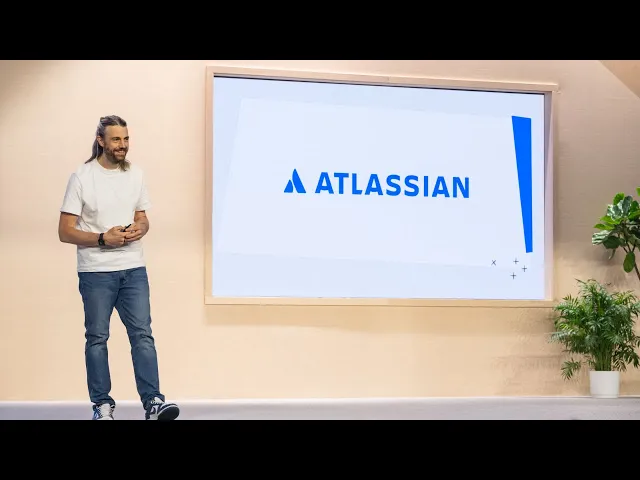
Atlassian annual keynote
This experience was presented by Atlassian president Anu Bharadwaj in the annual keynote. Here's a 17-second excerpt from the keynote, cued to play from 14:12 to 14:29.
User feedback
We received an overwhelmingly positive user feedback from our community of beta adopters for the initial beta release as well as subsequent experience improvements, as linked below:
How I'd do it differently
Automatic context retrieval
Automatically find relevant Confluence documentation and Jira work items then verify with user, rather than expect users to manually list those in the Epic description
External information sources
Adding support for external tools like Figma for designs, Databricks for data context, Loom for AI meeting notes would provide more relevant context, rather than limiting ourselves to first party integrations.